


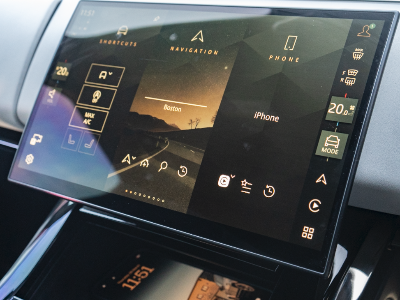
How To Connect Your Phone to Your Land Rover Vehicle
In this guide, we’ll walk you through how to pair your iPhone with your vehicle step-by-step, so you can make the most of your infotainment system and enjoy seamless connectivity every time you get behind the wheel.
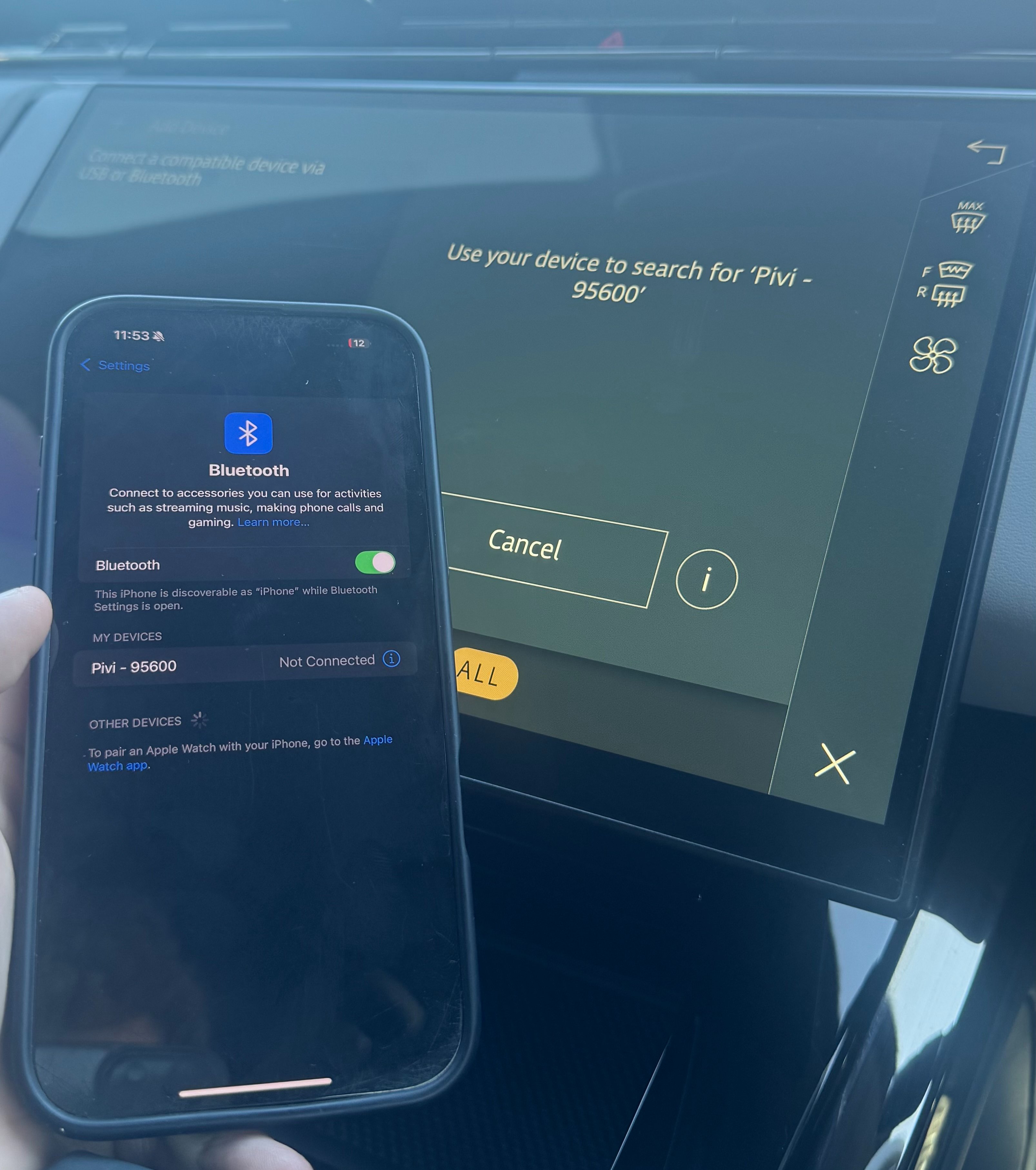
To begin, switch on your vehicle’s infotainment system and from the homepage select “Connect phone.” This will prompt the system to begin searching for available devices. On your iPhone, open the Bluetooth settings and ensure Bluetooth is turned on, then look for your vehicle in the list of available devices. Once your car appears, select it to initiate the pairing process.
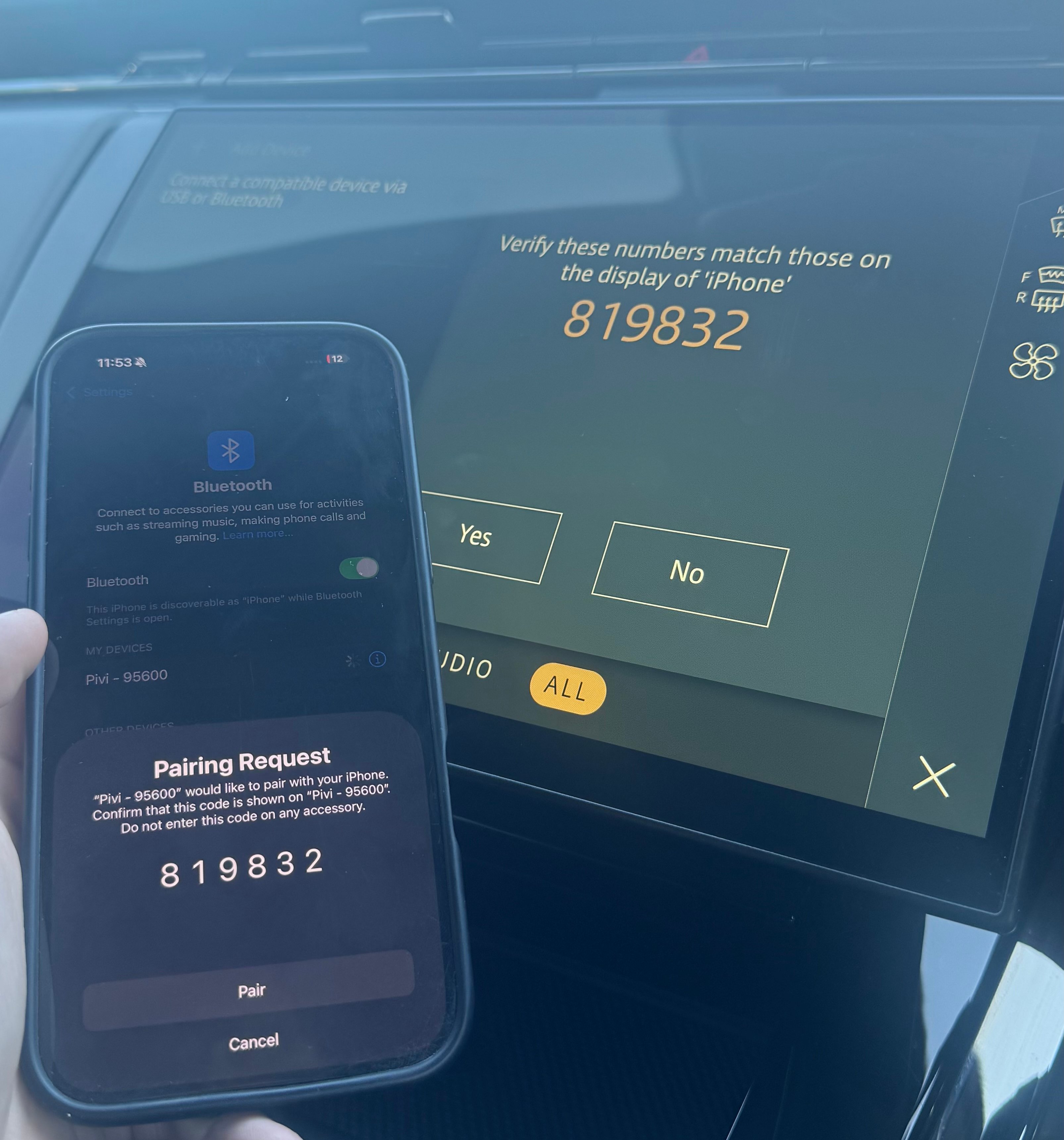
A confirmation code will then display on both your vehicle’s screen and your iPhone. It’s important to check that these numbers match to ensure you are connecting to the correct device. Once confirmed, simply press “Pair” on your phone and accept any additional prompts, such as allowing contacts and favourites to sync, this will enable a smoother hands-free experience for calls and messaging.
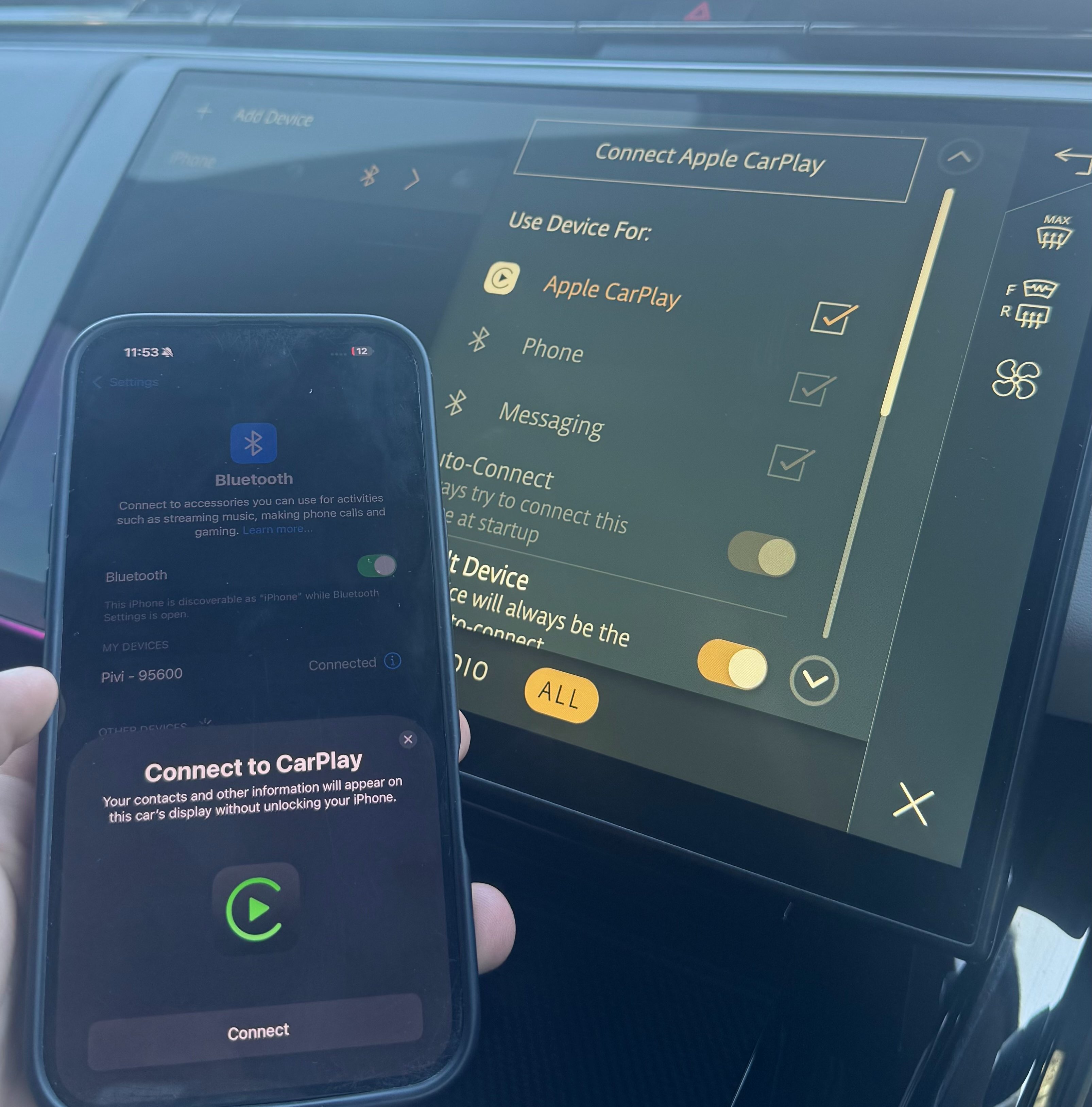
After pairing is complete, your iPhone will be connected via Bluetooth, allowing you to make calls, stream audio and access key features safely while driving. If you’d like to take things a step further, you can enable Apple CarPlay for an even more integrated experience.
To do this, select “Connect Apple CarPlay” on your vehicle’s screen and follow the prompts on your iPhone. Once activated, your infotainment display will switch to Apple’s interface, giving you access to apps such as Maps, Music, Messages and more, all designed for use while driving.
With your iPhone successfully paired, you can enjoy a smarter, more connected driving experience every time you set off, making your journeys not only more enjoyable but also safer and more efficient.
If you need a hand, or encounter any problem, just pop along to Duckworth Land Rover in Boston or Market Rasen and we will be happy to help.
Fill in your details below and a member of our team will be in touch

By providing your details you consent to us being able to contact you using the methods given above. Read more.